
If you've been using WordPress for a while, you know the story: the platform is powerful, flexible, and endlessly customizable on the front end. The WordPress admin dashboard is another matter.
The default admin area is functional, but it hasn't aged gracefully. As sites grow, menus multiply, and plugins stack up, the backend starts to feel messy. If you run client websites, clutter, default branding, and confusing menus don't inspire confidence.
This is where WordPress dashboard themes and UI plugins come in. These tools transform your dashboard into something faster, more modern, and better suited to your workflow. Options range from simple menu tweaks to full admin makeovers.
In this guide, we'll walk through the top 10 WordPress admin theme and UI plugins for 2025. Each one offers something unique, from lightweight white-labeling to complete dashboard redesigns.
One plugin, FleekDash, stands out as the most complete option in this list. It doesn't just repaint the dashboard. It rebuilds the workspace. We'll get to that in a moment.
If you landed here looking for a UiPress alternative, skip ahead to the UiPress section or read the FleekDash UiPress alternative full comparison first.
What is a WordPress admin theme / UI plugin?
A WordPress admin theme or UI plugin changes the look, feel, and functionality of the default WordPress admin dashboard. Your public site still runs on WordPress. The workspace your team actually uses gets rearranged.
With these plugins you can:
Change colors, typography, and layout of the admin.
Reorganize menus and dashboard widgets.
Add your own branding (logos, company name, custom login screens).
Remove confusing or unnecessary elements.
Create a cleaner experience for clients or team members.
For agencies, this is huge: your client logs in and sees your branded dashboard, not "WordPress." For solo creators, it's about productivity. Less hunting, more doing.
Best WordPress admin theme and UI plugins (2025)
Here's a snapshot if you want to scan first.
| Plugin | Key strengths | Best for | Pricing |
FleekDash (editor's choice) | Complete UI redesign, branding, productivity tools | Agencies and freelancers who want one workspace | See pricing |
WP Adminify | 18+ modules, menu editor, login customizer | Power users who want granular control | From $79/year |
Ultimate Dashboard | Custom dashboard widgets, client resources | Agencies focused on branded welcome screens | From $58/year |
Admin Menu Editor | Drag-and-drop menus, role-based visibility | Multi-user sites with different access needs | From $39/year |
White Label CMS | Custom login, branded dashboard, menu control | Agencies wanting quick branding | Free / paid upgrades |
UiPress | Modern UI template, menu creator, analytics | Users wanting a sleek admin skin | From $49/year |
Admin Columns | Custom columns, fast filtering | Content-heavy sites and stores | From $79/year |
Adminimize | Hide almost any element, role-based visibility | Simplifying the backend for non-tech users | Free |
White Label (WhiteWP.com) | Branding, menu control, hide plugins | Agencies needing lightweight white-labeling | From $39/year |
WP Frontend Admin | Frontend dashboards, white-label apps, Multisite | Platform builders and WaaS setups | From $49.99/year |
Competitor prices above are what those products publicly listed around publication (August 2025). Always confirm on the vendor's site.
FleekDash (best all-in-one admin solution)
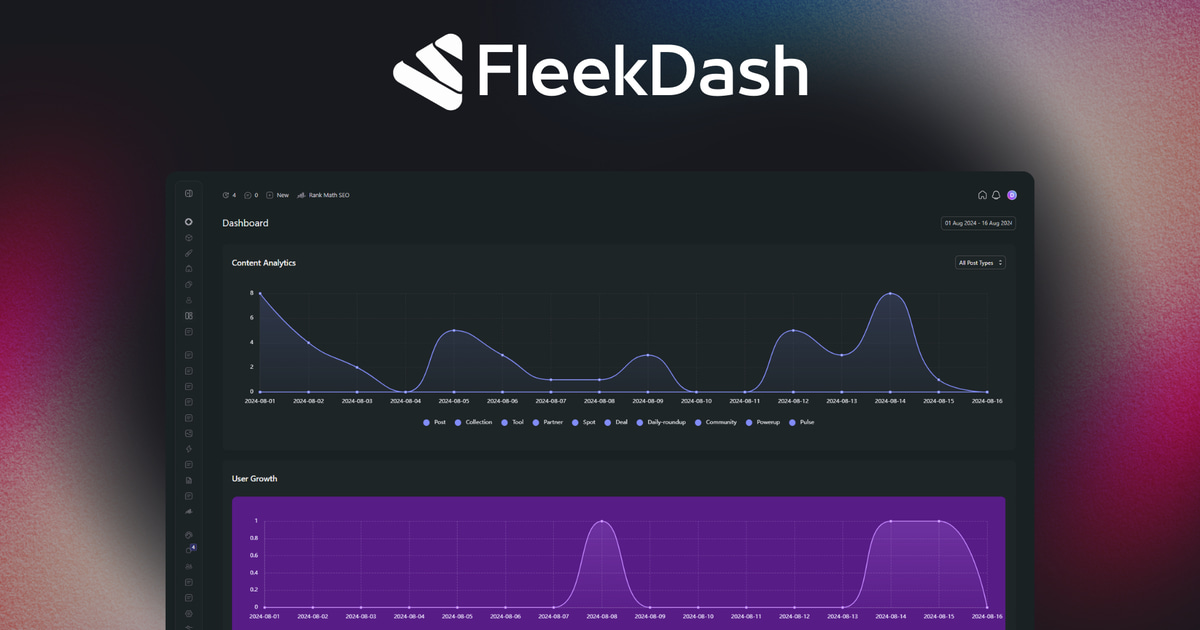
If WordPress dashboards could go through a total redesign from scratch, FleekDash is what you'd get. Unlike most admin plugins that focus on a single feature (menu editing or white-labeling), FleekDash delivers a full admin overhaul.
It doesn't just change the paint job. It rebuilds the experience with a clean, modern layout closer to a SaaS workspace than classic wp-admin.
See what FleekDash ships if you want the product list, or current plans if you're ready to compare licenses.
Key features
Complete UI redesign: every corner of the admin gets a modern layout.
Dark mode: built in, not tacked on.
Productivity tools: organize content with folders for posts, pages, and media. Menus stay decluttered.
White-label ready: replace WordPress branding with your logo, colors, and identity.
Instant demo: try a real disposable WordPress site before you buy.
Pros
All-in-one workspace (UI, branding, productivity).
Saves time by replacing a pile of single-purpose plugins.
Looks and feels like a modern admin tool.
Lifetime license option is available (see pricing).
Full-featured demo you can try before you buy.
Cons
More than some users need if you only want a new login page.
Newer than some long-established plugins.
Best for
Agencies, freelancers, and site owners who want a professional workspace they can hand to clients.
One agency reported that after switching client sites to FleekDash, the "where do I find this?" emails dropped off. The UI was clear enough that clients could navigate without extra training.
WP Adminify
If FleekDash is the all-in-one workspace, WP Adminify is the fully loaded toolbox. It's modular, so you can enable only the features you want.
Key features
18+ modules for admin customization.
Menu editor and login customizer.
Content folders for better organization.
Pros
Extremely customizable.
Still maintained, with regular updates.
Good for tinkerers.
Cons
Can feel overwhelming with so many options.
Yearly license model.
Best for
Users who want granular control over every detail of the WordPress backend.
Ultimate Dashboard
Ultimate Dashboard focuses on the main dashboard screen.
Key features
Remove default widgets.
Add your own branded widgets.
Create links to important resources for clients.
Pros
Lightweight and focused.
Makes the welcome screen actually useful.
Great for client projects.
Cons
Doesn't change the rest of the admin UI.
Best for
Agencies who want to make the dashboard a simple, branded welcome screen.
Admin Menu Editor
This plugin does exactly what it says: it lets you edit your admin menu.
Key features
Drag-and-drop menu rearranging.
Rename or hide menu items.
Control visibility by user role.
Add custom links.
Pros
Simple, focused, effective.
Very affordable.
Cons
Only edits menus, not a full UI change.
Best for
Multi-user sites where different people need access to different tools.
White Label CMS
A long-time favorite among agencies, White Label CMS makes it easy to brand WordPress for clients.
Key features
Custom login screen.
Branded dashboard.
Control menu visibility.
Pros
Quick setup wizard.
Perfect for agencies.
Free version available.
Cons
Doesn't modernize the whole UI.
Best for
Agencies and developers who want a professional, client-friendly backend without a full redesign.
UiPress
Formerly known as Admin 2020, UiPress (now uiXpress) is one of the most modern-looking admin redesigns available. It is a capable admin theme and UI layer. If you want a workspace rather than a skin, compare it directly in the FleekDash UiPress alternative full comparison.
Key features
Full admin template with a modern UI.
Menu creator and content folders.
Analytics integration.
Pros
Slick, app-like design.
Strong organizational tools.
Cons
Typically sold as a yearly subscription (confirm current terms).
Some users report performance issues with heavy setups.
Best for
Users who want a modern, unified admin template.
Admin Columns
If you manage a content-heavy site, Admin Columns is a lifesaver.
Key features
Add columns to post and page lists (word count, featured image, custom fields).
Sort and filter content quickly.
Pros
Saves a lot of time in long lists.
Perfect for large content libraries.
Cons
Doesn't change UI design.
More for power users than casual site owners.
Best for
Content-heavy sites, e-commerce stores, or blogs with lots of posts.
Adminimize
An oldie but a goodie. Adminimize has been around for years.
Key features
Hide almost any element of the admin.
Role-based visibility.
Pros
Free.
Extremely granular control.
Cons
Interface feels dated.
Not as user-friendly as newer tools.
Best for
Simplifying the backend for clients or non-technical users.
White Label by WhiteWP.com
Another strong white-labeling option.
Key features
Brand login, dashboard, and menus.
Hide specific plugins from clients.
Pros
Lightweight but useful.
Affordable.
Cons
Limited beyond branding.
Best for
Agencies who want branding without a full admin overhaul.
WP Frontend Admin
WP Frontend Admin lets you create frontend dashboards for WordPress.
Key features
Create frontend dashboards.
Display wp-admin pages on the frontend.
Convert WordPress plugins into white-label web apps.
Compatibility with WordPress Multisite and WaaS-style platforms.
Pros
Turns backend screens into a client-friendly frontend.
Useful for complex platforms.
Cons
Does not directly theme or redesign the backend WordPress admin.
Best for
Developers, agencies, and platform builders, especially for WaaS/SaaS models.
How to choose the right plugin
Want a complete admin overhaul? FleekDash or UiPress.
Want full control over menus? Admin Menu Editor.
Need branding for clients? White Label CMS or White Label by WhiteWP.com.
Run content-heavy sites? Admin Columns.
Want a free, simple refresh? Adminimize.
Best overall in this list: FleekDash. It combines the workspace pieces in one product. See features and pricing.
How to install and customize safely
Use a staging site to test first.
Back up your site before changes.
Install only one major UI plugin at a time.
Check compatibility with your theme and other plugins.
Test different user roles to make sure the UI looks right.
Common mistakes to avoid
Over-customizing until clients get lost.
Ignoring performance on a staging copy.
Forgetting to train users on the new layout.
Stacking several UI plugins together.
Final thoughts
The WordPress admin doesn't have to be cluttered or confusing. With the right plugin, you can make it faster, more modern, and branded for the people who actually log in.
Specialized plugins like Admin Menu Editor or Ultimate Dashboard are great for a single job. If you want a complete workspace, FleekDash is the pick in this roundup.
FAQs
Is it safe to customize the WordPress admin dashboard?
Yes, as long as you use reputable plugins and back up your site first.
Will these dashboard plugins slow down my site?
Most only load in wp-admin. Still test on staging, especially if you already run a heavy plugin stack.
Can I use multiple admin plugins together?
You can, but stick to one major option for the dashboard to avoid conflicts.
Which one is best for agencies?
FleekDash if you want all-in-one. White Label CMS if you only need branding.
Which plugin is best if I just want a free option?
Adminimize is the usual free starting point.
This post was written for humans, not for SEO, and reviewed with AI.