

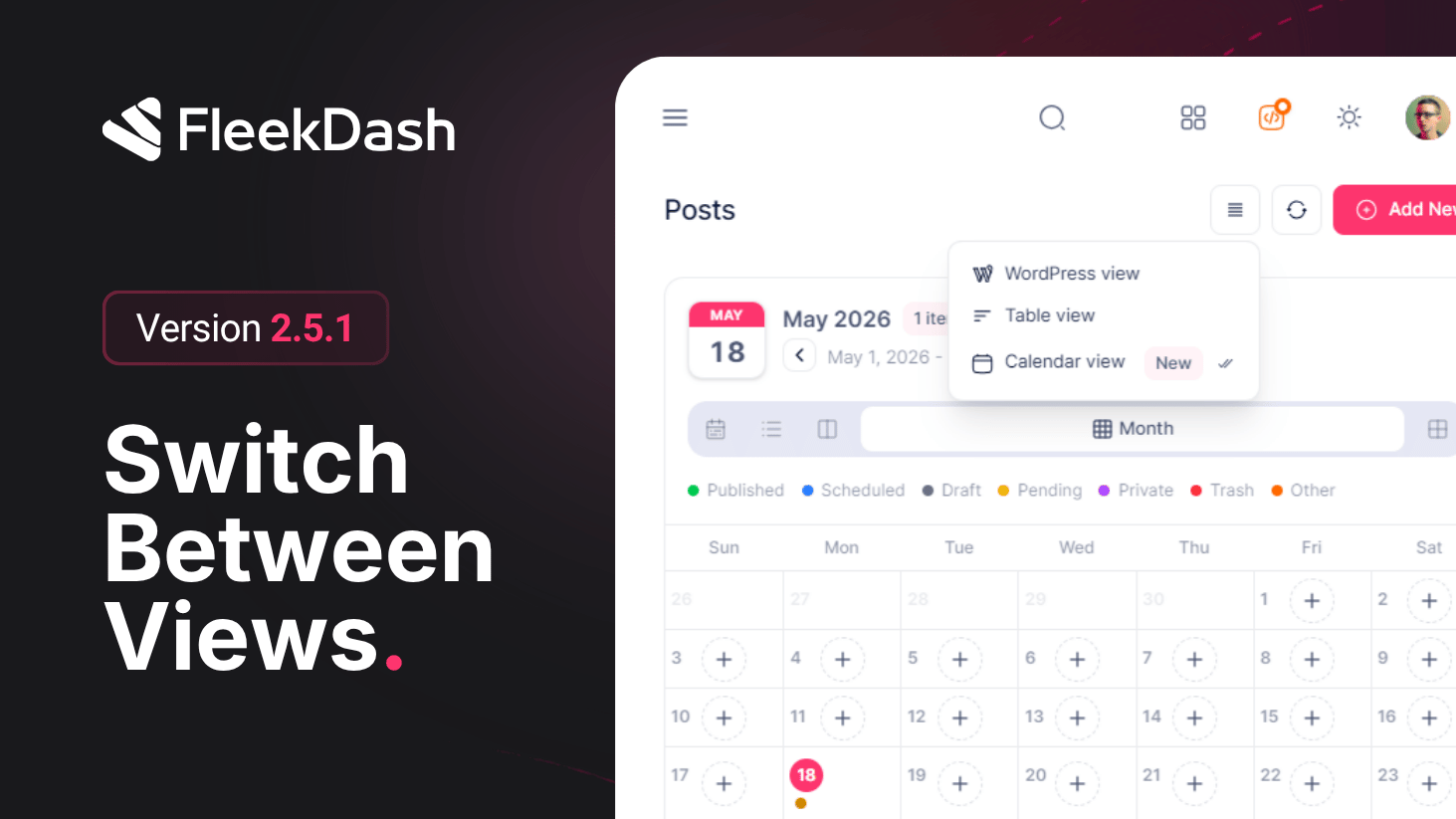
Listing screens should not fight your workflow. FleekDash 2.5.1 ships Post View Quick Switch: a compact popover menu on post-type grids so you can flip Table view, Calendar view, or WordPress view (classic list in context) without digging through settings every time.
What's New
Quick Switch popover: from any supported post type list, open the control and pick Table, Calendar, or WordPress, the shell swaps views immediately so you stay in flow when planning vs. scanning vs. parity-checking native WP.
Default view per post type, saved on the fly: when you choose a mode, FleekDash can persist that preference for that post type so the next time you open that CPT it lands on your preferred view automatically, no separate settings trip.
Foundation for more layouts: the same switch pattern is built to plug in additional post views later (Kanban, Smart Cards, and more), today’s control is the anchor for how operators will pick density and semantics per content type.
What's Improved
Less cognitive load: editors who live in Calendar for one CPT and Table for another stop resetting their layout each visit, defaults follow the post type, not a global one-size default.
