

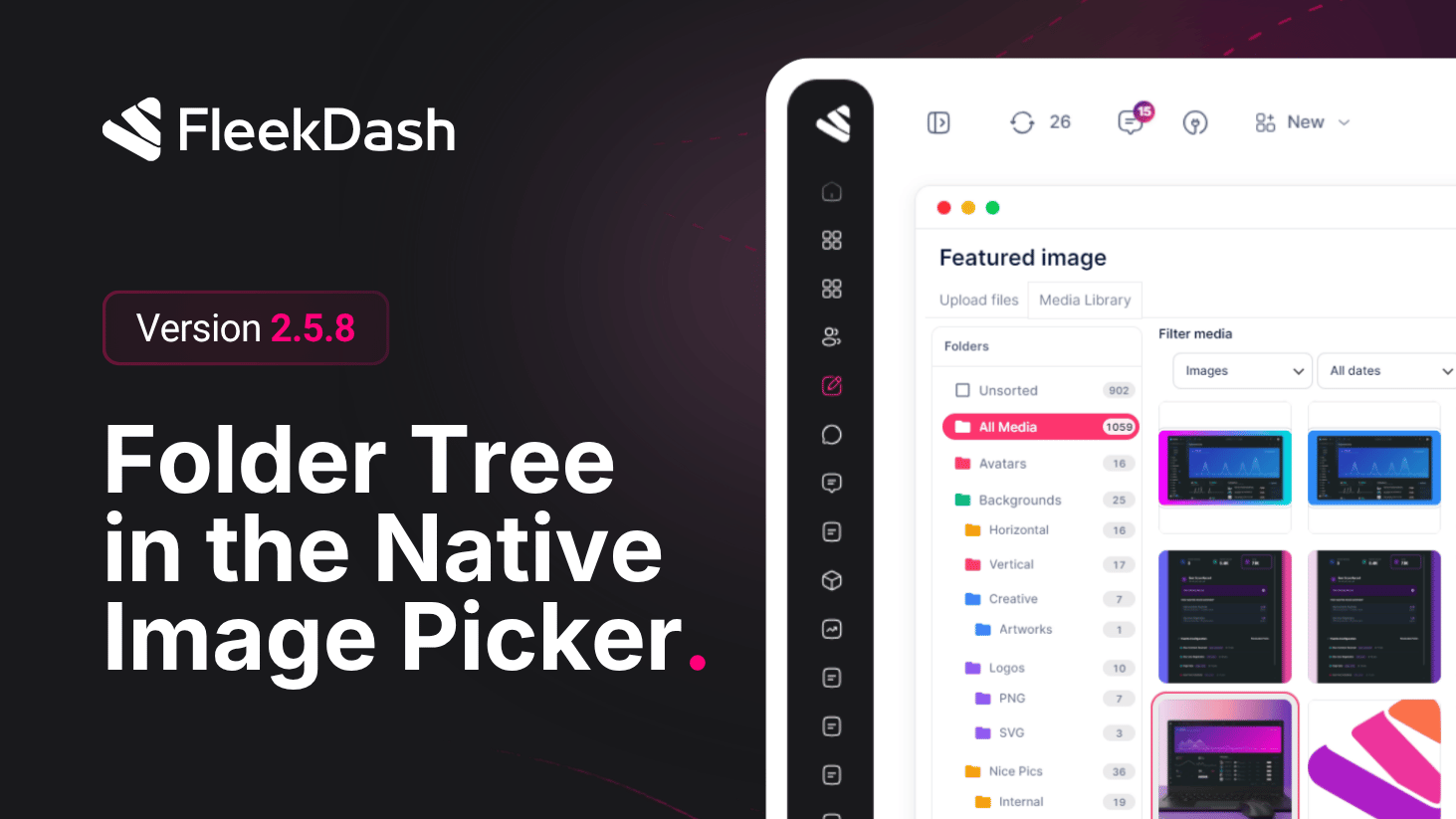
FleekDash 2.5.8 finishes one workflow: the folder structure you use in the FleekDash Media Library (see 2.4.0) is now visible when you open the standard WordPress media chooser, the same image / media picker the block editor, Classic Editor, and most third-party tools invoke through WordPress’ Media Library modal (wp.media).
The 2.4.0 media experience was rebuilt on FleekDash’s new UI for speed and UX, but it still follows WordPress conventions for attachments and browsing. That means it remains compatible with Gutenberg, Classic Editor, and other integrations, as long as they use the normal WordPress media APIs and do not replace the flow with a fully custom uploader that bypasses the standard library.
What's New
Folder tree in the native picker: when you insert an image (or open the media library from blocks or legacy screens), you can browse the same folder hierarchy you defined in FleekDash instead of a flat flat grid, so assets stay easy to find in the same layout as your library.
One hierarchy everywhere: organize files in FleekDash folders and retrieve them under the same structure when picking media for posts, pages, or plugin fields that rely on the standard modal, less searching and duplicate uploads.
What's Improved
Consistency across editors: editorial and plugin workflows that already respect WordPress media patterns keep working; FleekDash augments the picker with structure, not a parallel silo.
