

Overview
The Dashboard is the main overview screen in FleekDash. It gives you A single place to see key metrics (published content, engagement, new users, growth score) without opening multiple WordPress screens.
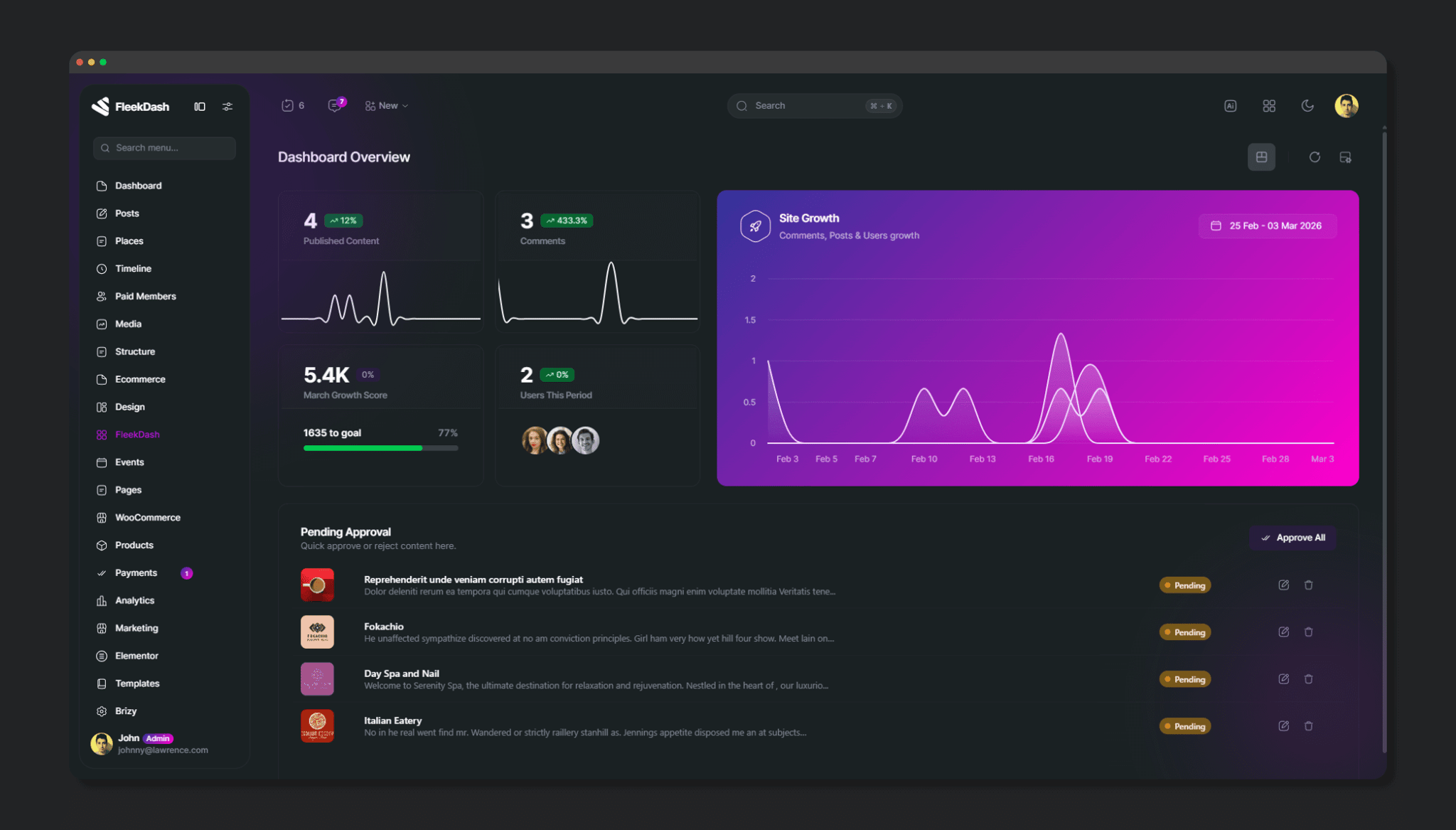
Flexible layout so you can choose how stats, chart, and pending content are arranged (stats left/right, chart top/bottom, or three rows).
Content approval at a glance: pending posts appear in a grid right on the dashboard so you can approve, reject, or edit without going to the Posts list.
Growth monitoring: growth score and progress are shown in the stats area, so you can track progress over time and show results to clients or stakeholders.
Fast actions: approve a single post from the grid, or use Approve All to batch-approve every pending item with progress feedback.
Persistent date range: the period you select is remembered for the session (and can be cleared with Clear Cache), so you don't have to reselect it every time.
Performance: data is cached and can be preloaded for common presets (e.g. 7d, 30d, 90d, 1y), so the dashboard stays fast when you switch periods or return to the page.
See what matters without leaving the admin.
Approve content quickly from one screen.
Prove progress with growth and KPI widgets.
Choose a layout that fits your workflow.
Rely on caching and preload for a responsive experience.
How to access the Dashboard
Open the main FleekDash menu and click Dashboard (or the item that points to the dashboard).
The dashboard is the default view at the hash route #/dashboard (e.g. https://yoursite.com/wp-admin/#/dashboard when using FleekDash as the admin interface).
When the page loads:
The Enterprise Dashboard system initializes and may preload data for presets (7d, 30d, 90d, 1y) in the background.
Your date range is restored from session storage if you had one set earlier in the session.
Pending posts are loaded (with caching; see Pending approval).
Stats cards and the main chart load from the unified dashboard data (store + API).