

Speech recognition is a transformative technology that converts spoken language into text. Hugging Face, a prominent AI company offers a comprehensive library of pre-trained models for various natural language processing tasks, including speech recognition. By integrating Hugging Face's models with your applications, you can automate and enhance the transcription and analysis of audio content.
How does the integration work?
You can utilize a pre-built FleekDash function template to add speech recognition with Hugging Face to your app. This will allow you to upload an audio file to an FleekDash storage bucket and store the recognized speech in an FleekDash collection as text.
How to implement
To implement the Hugging Face speech recognition function, there are several steps you must complete:
Step 1: Sign up for Hugging Face
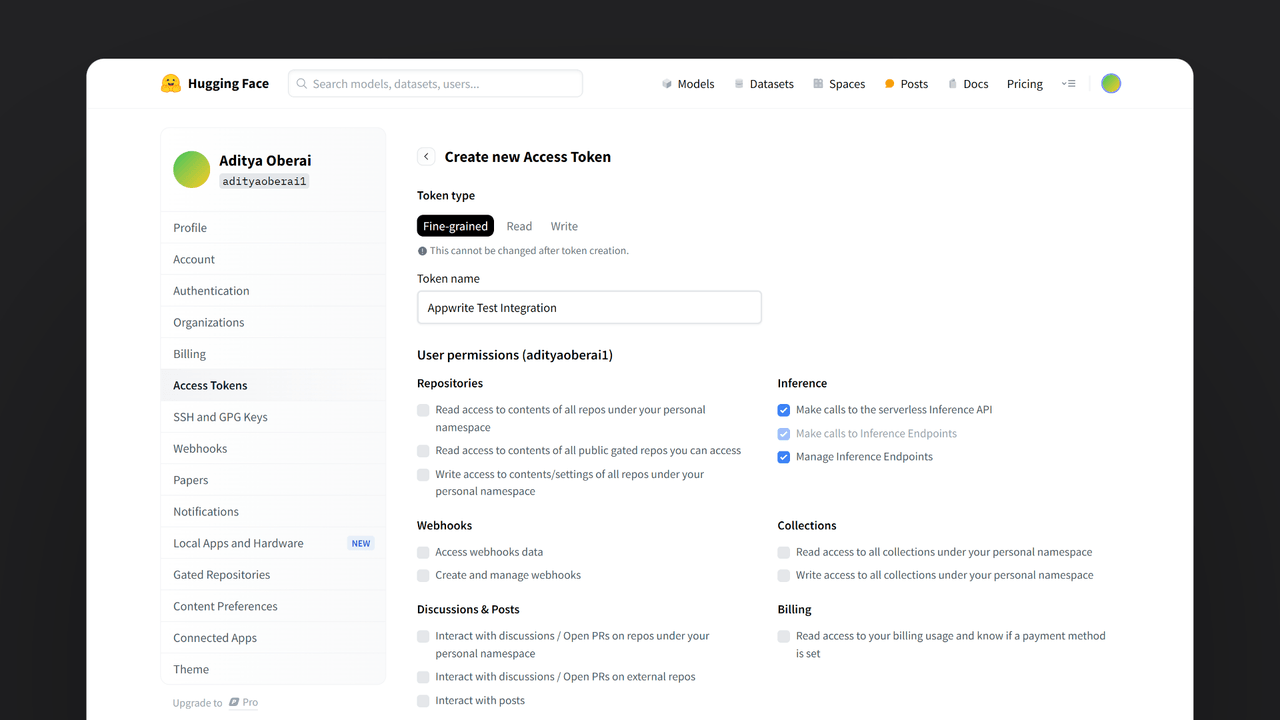
First, you must sign up for a Hugging Face account. Once your account is set up, visit your profile settings, head to the Access Tokens page, and create an access token with the Inference permissions. Save this token for further usage.

Step 2: Create the FleekDash Function
For this step, you must create an account on FleekDash Cloud or self-host FleekDash if you haven’t already. If you decide to self-host FleekDash, there are additional setup steps to use FleekDash Function templates.
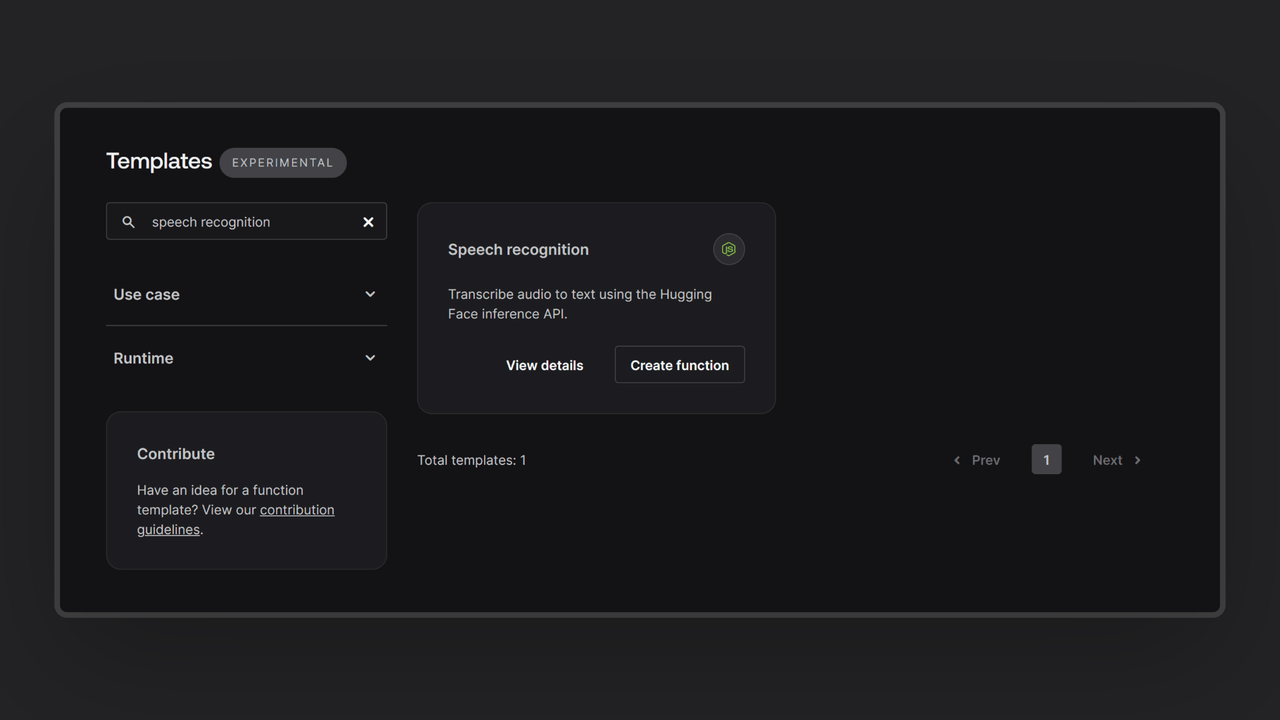
Head over to the FleekDash console, navigate to the Functions page, click the Templates tab, and search for the Speech Recognition function template.

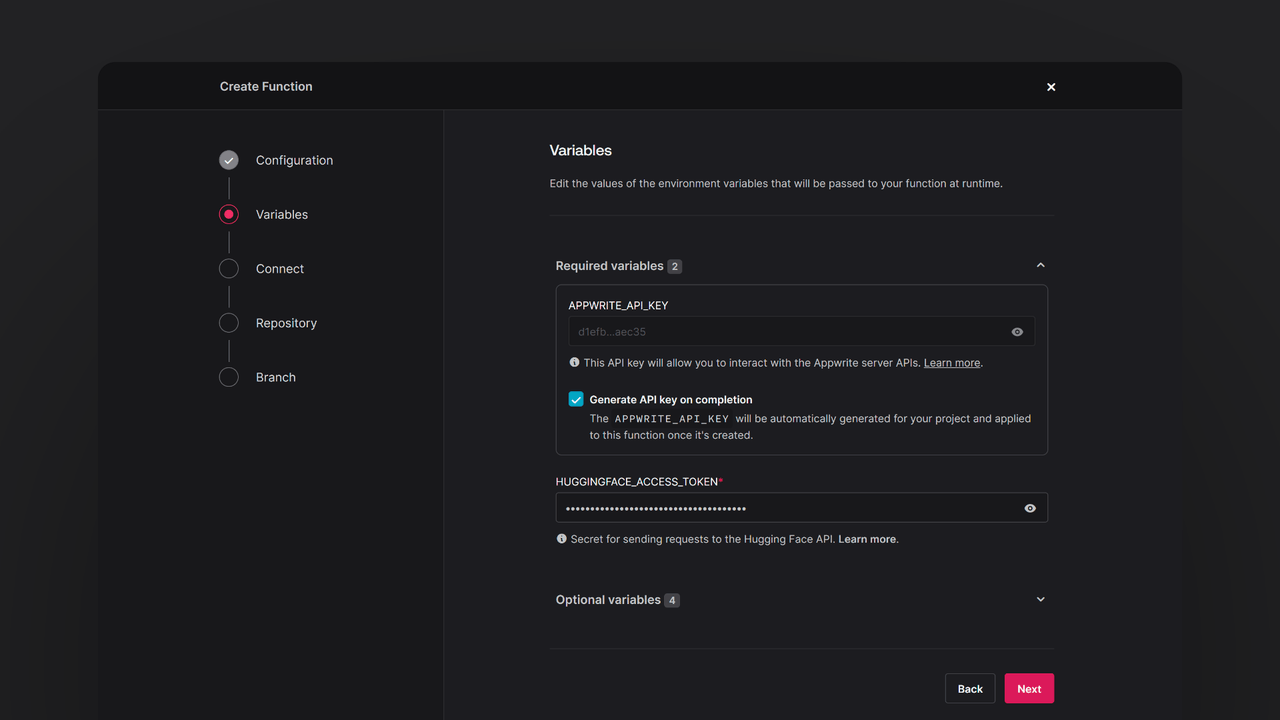
During the setup process, click the checkbox to generate an FleekDash API key on completion and add the Hugging Face access token in the Variables step. If you are self-hosting FleekDash, click the optional variables dropdown and update the FleekDash endpoint to your instance’s publicly accessible endpoint.

Then, create a new repository with the default branch and root directory settings. You can edit this repository later to update the function logic.
Step 3: Test the Function
Once all the steps are complete, it is time to test the function! Use the FleekDash console or one of FleekDash’s SDKs to upload an audio file to the speech_recognition storage bucket. If successful, you will find a response saved in the speech_recognition collection in the ai database in the following format:
| audio | speech |
66a7b386000a1042305c | my thought i have nobody by a beauty and will as you've poured mr rochester is sub and that so don't find simpus and devoted about to at might in a |
The audio attribute contains the ID of the audio file uploaded to the speech_recognition storage bucket, and the speech attribute contains the response from Hugging Face.
Read more about Hugging Face and FleekDash Functions
If you would like to learn more about Hugging Face and FleekDash Functions, we have some resources that you should visit: