
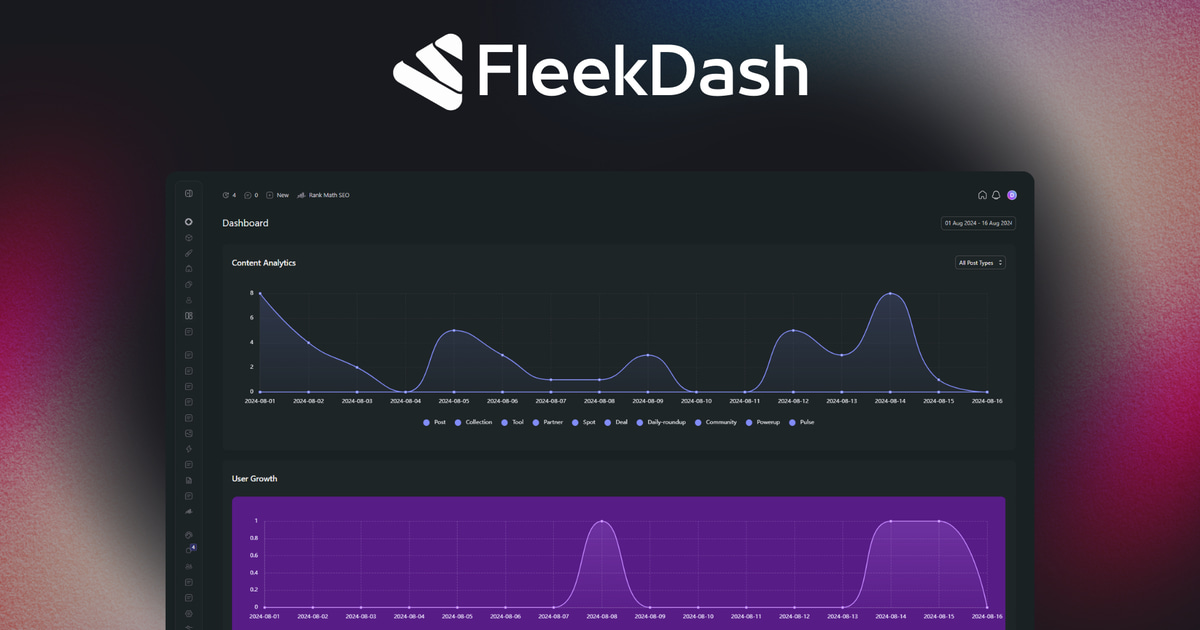
If you've ever logged into your WP admin dashboard and thought, "This feels clunky," you're not alone. The default WordPress backend is solid for basic use, but once your site grows, its limitations become clear: menus turn messy, notices pile up, and the whole experience feels outdated.
That's where FleekDash steps in. This isn't just another WordPress plugin you install and forget. It's a custom admin theme and UI builder that replaces your default admin area with a clean, modern interface you can shape to your workflow.
Solo blogger, WooCommerce store owner, or agency with dozens of client sites: FleekDash makes the admin faster and easier to work in.
Why Customize the WP Admin Dashboard?
The default WordPress dashboard was designed years ago to work for everyone. But "working" and "working well" are two very different things.
As your WordPress site grows, here's what typically happens:
The admin menu fills up with random plugin entries.
Admin notices appear at the top every time you log in.
Your dashboard widgets show information you don't really use.
Clients get overwhelmed by too many menu items.
If you're running WooCommerce, you've probably experienced the chaos firsthand: dozens of product pages, analytics menus, and order lists scattered all over your WordPress backend.
This is why customizing the admin matters. By tailoring your admin interface, you:
Work faster because menus are organized.
Improve client trust with a branded dashboard.
Focus only on what matters for your workflow.
Create custom tools (via dashboard widgets) that serve your exact needs.
Customizing the dashboard turns WordPress from "just functional" into a tool that helps you work smarter.
Fast WordPress Admin Dashboard
Performance isn't only for the frontend. A slow WordPress backend can waste just as much time. Sometimes even more.
Think about it:
Every time you open a WooCommerce product page, you wait.
Every time you edit a post with multiple custom fields, you wait.
Multiply that by 20, 50, or 100 times per day. That's hours wasted.
FleekDash removes this friction with an admin UI built to stay lean and fast. Even if you're:
Running a WooCommerce shop with thousands of products.
Publishing content daily across dozens of custom post types.
Managing a media library with tens of thousands of files.
FleekDash keeps your WordPress Admin Area responsive.
For agencies, this means less wasted time across teams. For store owners, it means you can manage your catalog without slowdowns. And for bloggers, it means you spend more time writing and less time waiting.
Custom Admin Menu and Plugin Integration
The WordPress admin menu often becomes a mess. Install a handful of plugins, and suddenly your sidebar looks like a junk drawer.
FleekDash solves this with:
A drag-and-drop admin menu editor.
Options to hide menu items per user role.
Cleaner grouping of plugins so the admin area feels logical.
For example:
You can group all WooCommerce items under a single expandable menu.
You can hide advanced settings for clients while keeping them visible for admins.
You can rename menu items so they make sense in your workflow.
This makes the WordPress backend less intimidating and more efficient.
Inline Editing for Posts and Pages
A feature that really changes how you work is inline editing.
Instead of loading entire admin pages just to change a title or edit a field, you can update content instantly where you are.
This saves time for:
Editors updating dozens of posts per week.
Shop owners tweaking WooCommerce product details.
Agencies managing content across multiple client sites.
It's a small change that makes the WordPress admin feel much more fluid.
A Custom Admin Theme & WP UI You'll Actually Enjoy
The default WordPress dashboard hasn't aged well. It's functional but uninspiring.
FleekDash replaces it with a modern admin theme that feels like a proper app. You get:
Light and dark mode for comfortable viewing.
A redesigned admin bar for quick navigation.
A distraction-free workspace that reduces clutter.
For solo users, this means a nicer daily experience. For agencies, it means presenting clients with a custom admin dashboard that reflects your professionalism.
Dashboard Widgets, Admin Columns & Analytics Tools
Raw data is powerful, but WordPress doesn't make it easy to access. FleekDash changes that with:
Custom columns so you can see extra post data at a glance.
Dashboard widgets for site analytics and key stats.
Tables with sorting and filtering so you can scan data quickly.
Customizing the Admin Columns for Posts & WooCommerce
Want to see product stock levels, SEO scores, or custom fields directly in your list view? FleekDash lets you add those columns so you don't have to click through each product or post.
Create Custom Dashboard Widgets for Clients
For agencies, this is huge. You can create custom widgets that welcome clients with personalized notes, shortcuts, or even analytics. Instead of the default WordPress widgets, they see a dashboard that feels built for them.
Clean Admin Area: Goodbye Notices, Ads & Clutter
If you've ever felt overwhelmed by endless admin notices at the top of your dashboard, you know how distracting they can be.
FleekDash declutters the admin panel by:
Removing plugin nag ads.
Hiding irrelevant notices.
Giving you control over what stays visible.
The result? A professional WordPress admin interface that feels like a workspace, not a bulletin board.
WordPress Backend: AI and Frontend Editing (Coming Soon)
FleekDash is being developed not just to solve today's problems. It's also preparing for tomorrow.
Planned updates include:
AI-powered automation for routine admin tasks.
Intelligent spam detection and cleanup.
Advanced frontend dashboard features, so you can edit pages without switching to wp-admin.
So FleekDash is not just a plugin. It's a direction we're building toward for the whole WordPress backend.
Built by a Real Agency Team with 24/7 Support
FleekDash was born inside a digital agency that needed a better way to manage complex client sites.
That means:
It was built in real-world conditions, not just theory.
It's been tested on demanding WordPress sites with multiple plugins.
It comes with reliable support.
When you install FleekDash, you're not just getting a plugin. You're getting a tool designed by people who understand the pain points of managing the WordPress admin area.
The Agency Dream: White-Label Admin UI Features (Coming Soon)
For agencies, FleekDash will be more than useful. It'll be the layer that makes every client site feel like your product.
You will be able to:
Replace the WordPress logo with your own branding.
Build custom wp admin pages for each client.
White-label plugins so clients don't see the underlying tools.
Control menus and features by user role.
This will make every client dashboard feel like a custom product, not a generic WordPress install.
Pricing: FleekDash in 2025
FleekDash starts at $97, and with coupon code LTDHUNT40, you get 40% off.
Grab it here: FleekDash Lifetime Deal
Test the demo here: FleekDash Demo
There's no free version, but when you compare the cost of multiple smaller plugins that FleekDash replaces, it's a bargain. Try the demo with your own workflow to see the difference.
Frequently Asked Questions (Extended FAQ)
Q: What is FleekDash?
A: FleekDash is a WordPress admin UI plugin that replaces the default WordPress dashboard with a faster, modern, customizable interface.
Q: Does it replace the default WordPress admin dashboard?
A: Yes. It acts as a custom admin layer while staying compatible with other plugins.
Q: Can I customize the admin menu?
A: Absolutely. You can hide, rename, or reorganize menu items based on user roles.
Q: Does FleekDash support WooCommerce?
A: Yes. It enhances WooCommerce admin pages and adds custom admin columns for products.
Q: Is there a free version?
A: No, FleekDash is premium only. Pricing starts at $97 with a discount available.
Q: Is it safe and lightweight?
A: Yes, it follows WordPress standards and is optimized for speed.
Q: Can I use it for client white-labeling?
A: Yes, it's ideal for agencies that want a branded custom admin dashboard.
Q: Will it slow down my site?
A: No. It's lightweight and often makes the backend faster.
Q: Is this the best WordPress admin plugin for agencies?
A: If you need a customized experience, client dashboards, and menu control, FleekDash is one of the best options available.
This post was written for humans, not for SEO, and reviewed with AI.